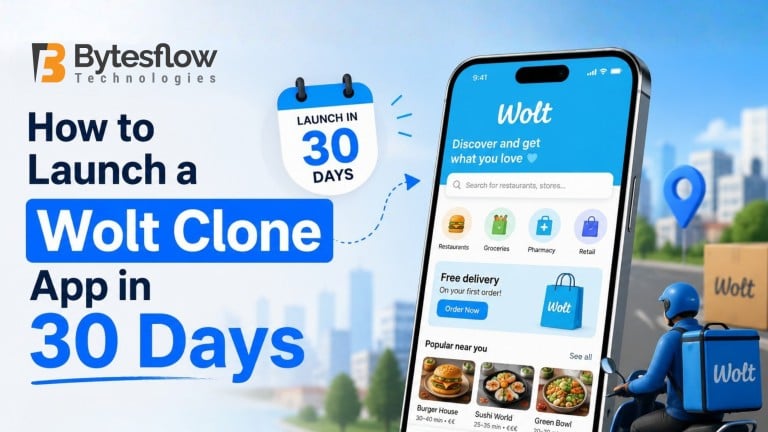
How to Launch a Wolt Clone App in 30 Days: The Complete Entrepreneur’s Roadmap
Quick Stats
|
The food delivery industry is not slowing down. Entrepreneurs around the world are looking to capitalise on the on-demand economy, and Wolt, with its clean UX, smart logistics, and multi-restaurant model, is one of the most admired blueprints to follow.
But here is the question everyone asks: Do I really need 6 months and $200,000 to build a Wolt clone app?
The short answer is no. With the right strategy, the right technology partner, and a clear 30-day sprint plan, you can launch a fully functional food delivery app that rivals Wolt in features — without burning your runway before you even acquire a single customer.
This guide from BytesFlow is your complete, no-fluff roadmap. We cover everything: planning, feature selection, tech stack, development phases, testing, and go-to-market — all broken into a tight 30-day schedule.
Why Build a Wolt Clone App? The Business Case in 2025
Before you write a single line of code, you need to understand why this market still has room for new entrants — and where the opportunity lies for you specifically.
The Market Numbers Are Compelling
- Food delivery revenue in Europe alone exceeded $45 billion in 2024
- Wolt operates in 27 countries across Europe and Asia — most tier-2 cities are still underserved
- Restaurant owners are actively looking for platforms with lower commission rates than Uber Eats or Deliveroo
- Consumer demand for hyper-local, niche delivery (groceries, pharmacy, dark kitchens) is exploding
Where Wolt Succeeds — and Where Clones Can Win
Wolt’s success comes from three core pillars: a beautiful UI, reliable courier logistics, and strong restaurant partnerships. A well-built clone does not just copy it improves on the gaps:
- Lower commissions to attract local restaurants faster
- Hyper-local focus in a single city before scaling
- Niche vertical (e.g., only healthy food, only halal, only groceries)
- Better driver payout models to attract couriers
This is exactly the positioning that allows a new Wolt clone app to grow in markets the big platforms have ignored.
The 30-Day Launch Framework: Overview
Here is how BytesFlow structures a 30-day Wolt clone launch into five focused phases:
Phase | Name | Days | Key Deliverable |
Phase 1 | Strategy & Planning | Days 1–5 | Business model, feature list, tech decisions |
Phase 2 | Design & Architecture | Days 6–10 | Wireframes, UI/UX, database schema |
Phase 3 | Core Development | Days 11–20 | Customer app, restaurant panel, driver app |
Phase 4 | Integration & Testing | Days 21–26 | APIs, payments, QA, bug fixes |
Phase 5 | Launch & Go-to-Market | Days 27–30 | App store submission, marketing, soft launch |
Phase 1: Strategy & Planning (Days 1–5)
This is the phase most entrepreneurs skip — and it is why most food delivery startups fail before they even launch. Spend five days here and you will save weeks later.
Day 1–2: Define Your Business Model
Your Wolt clone can operate on several revenue models. Choose before you build:
- Commission-based: Take 15–30% of every order value from restaurants
- Delivery fee: Charge customers a flat or distance-based delivery fee
- Subscription model: Monthly fee for unlimited free delivery (like Wolt+)
- Advertising: Charge restaurants for featured placement and sponsored listings
- Hybrid: Combine commission + delivery fee for maximum revenue per order
Day 3: Choose Your Geographic Focus
Do not try to launch in five cities at once. Pick one city, one niche, and dominate it. Wolt itself started in Helsinki and grew market by market. Your 30-day plan needs a tight geographic scope to be achievable.
Day 4–5: Feature Prioritisation (MVP vs. Full Build)
One of the biggest decisions in your roadmap is choosing between a Minimum Viable Product (MVP) launch and a full-featured clone. Here is how to think about it:
MVP Feature Set (Recommended for 30-day launch)
|
Full Feature Set (Phase 2 post-launch)
|
For a 30-day launch, the MVP set is your target. Ship the core loop flawlessly and iterate from there.
Phase 2: Design & Architecture (Days 6–10)
Day 6–7: UI/UX Wireframing
Great food delivery apps succeed because of their UX — not just their features. Your Wolt clone needs to feel fast, clean, and intuitive. Key screens to wireframe:
- Onboarding and location permission flow
- Home screen with restaurant cards, categories, and banners
- Restaurant detail page with menu sections
- Cart and checkout flow with delivery time estimate
- Real-time order tracking with driver location
- Order history and reorder shortcut
- Driver app: Available/busy toggle, order queue, navigation view
- Restaurant panel: Incoming orders, live order status, menu editor
Day 8: Tech Stack Decision
Your technology choices will determine how fast you can build and how well you can scale. Here is the BytesFlow-recommended stack for a Wolt clone:
Layer | Technology | Why |
Mobile Apps | React Native / Flutter | One codebase for iOS + Android, faster builds |
Backend | Node.js + Express | Fast, real-time capable, huge ecosystem |
Database | PostgreSQL + Redis | Relational data + real-time caching |
Real-time | Socket.io | Live order tracking and notifications |
Maps | Google Maps API | Reliable geocoding, routing, ETA |
Payments | Stripe / Razorpay | Quick integration, global support |
Cloud | AWS / GCP | Auto-scaling, reliable, CDN support |
Admin Panel | React.js | Fast, component-based dashboard |
Day 9–10: Database Architecture and API Design
Map out your data models before development starts. Core entities for a Wolt clone:
- Users (customers, drivers, restaurant admins, super admin)
- Restaurants (profile, location, operating hours, cuisine type)
- Menu (categories, items, modifiers, variants, pricing)
- Orders (status lifecycle: placed → accepted → preparing → picked up → delivered)
- Drivers (current location, availability, order history, earnings)
- Payments (transaction records, refunds, payouts)
Phase 3: Core Development (Days 11–20)
This is the heart of the 30-day sprint. Ten days of focused development across three parallel workstreams.
Days 11–13: Customer-Facing Mobile App
Build the customer experience first — this is your product’s shop window. Priority screens:
- Splash screen, onboarding, and phone/OTP login
- Location detection and address entry
- Home feed: nearby restaurants, categories, banners
- Restaurant page with menu and add-to-cart flow
- Cart, delivery details, and payment screen
- Order confirmation and real-time tracking screen
- Profile, order history, and ratings
Days 14–16: Restaurant Partner Panel
Restaurants are your supply side — a clunky partner panel will lose you restaurant sign-ups. Build a web-based panel (not mobile) with:
- Dashboard with today’s orders and revenue
- Incoming orders with audio notification and one-tap accept/reject
- Order status management (preparing, ready for pickup)
- Menu builder with category management and item images
- Operating hours, cuisine tags, and availability toggle
Days 17–20: Driver App and Admin Dashboard
The driver app is the operational backbone. Keep it simple and fast:
Driver App Must-Haves
|
The admin dashboard ties everything together. For the MVP, focus on:
- Live order map showing all active deliveries in real time
- User management for customers, drivers, and restaurants
- Commission and payout management
- Promo code and discount creation
- Revenue analytics: daily orders, GMV, top restaurants
Phase 4: Integration & Testing (Days 21–26)
Days 21–22: Third-Party Integrations
Your app is not complete without these integrations. Prioritise them in this order:
- Payment gateway: Stripe (global) or Razorpay (South Asia) — test in sandbox before going live
- Google Maps / Mapbox: Restaurant geocoding, customer address search, driver routing, ETA calculation
- Firebase Cloud Messaging: Push notifications across iOS and Android
- Twilio / MSG91: SMS OTP for login verification
- SendGrid / Mailgun: Order confirmation and receipt emails
Days 23–25: QA and Bug Fixing
Do not underestimate QA. The most common bugs in food delivery apps:
- Order status not updating in real time (check Socket.io event handling)
- GPS accuracy issues on the driver tracking screen
- Payment failures due to incorrect webhook configuration
- Push notifications not firing on certain Android devices
- Menu item modifier pricing not reflecting correctly in the cart total
- Restaurant offline status not reflected on customer app in real time
Run your QA across real devices (not just simulators) on both iOS and Android. Test the full order lifecycle end-to-end at least ten times.
Day 26: Performance and Security Audit
- Run load testing with tools like k6 or Artillery to simulate concurrent orders
- Audit API endpoints for authentication on every protected route
- Ensure payment data is never stored server-side — use Stripe tokens only
- Implement rate limiting on OTP and login endpoints to prevent abuse
- Check app startup time — aim for under 2 seconds on a mid-range Android device
Phase 5: Launch & Go-to-Market Strategy (Days 27–30)
Day 27: App Store Submission
Apple App Store review takes 1–3 days. Google Play is usually 1–2 days for new accounts. Submit on Day 27 to give yourself buffer. Key submission requirements:
- Privacy policy URL (required by both stores)
- High-quality screenshots for all device sizes
- App description with your focus keyword (food delivery, city name)
- Age rating: 4+ is fine for a food delivery app
- In-app purchase disclosures if you accept payments in-app
Day 28–29: Restaurant Onboarding Sprint
Before your public launch, sign up at least 20–30 restaurants. This is your supply-side hustle:
- Create a simple restaurant sign-up landing page with a form
- Offer the first three months at zero commission to early partners
- Provide restaurant owners with a setup guide and video walkthrough
- Personally onboard the first 10 restaurants — this builds loyalty and gets you real feedback
Day 30: Soft Launch and Marketing Push
Do not do a big launch on Day 30. Do a soft launch — invite 200–500 beta users before going wide. Here is a cost-effective marketing plan for a food delivery startup:
30-Day Go-to-Market Playbook
|
How Much Does It Cost to Build a Wolt Clone App?
Cost is always the first question. Here is an honest breakdown based on BytesFlow project data:
Approach | Cost Range | Timeline | Best For |
White-label clone script | $5,000–$20,000 | 2–4 weeks | Fast launch, limited customisation |
Semi-custom (clone + custom features) | $20,000–$50,000 | 4–8 weeks | Balanced speed and flexibility |
Full custom build | $60,000–$150,000+ | 4–6 months | Complete control, high investment |
BytesFlow MVP Package | $15,000–$35,000 | 30 days | Startups needing speed + quality |
Ready to Build Your Wolt Clone App? BytesFlow Can Do It in 30 Days.
BytesFlow specialises in on-demand app development for food delivery, grocery delivery, and multi-vertical marketplace startups. Our teams have helped entrepreneurs across Europe, the Middle East, South Asia, and Southeast Asia go from idea to live app in under 30 days.
Here is what you get when you work with BytesFlow:
- Dedicated project manager with daily status updates
- Full source code ownership — no vendor lock-in
- React Native apps for iOS + Android + Web restaurant panel + Admin dashboard
- 90-day post-launch support and bug-fixing warranty
- Scalable architecture designed to handle 100,000+ orders per day
Get a Free 30-Day Launch Plan Book a free strategy call with the BytesFlow team at https://bytesflow.com/contact We will review your market, define your MVP scope, and provide a detailed 30-day timeline and cost estimate with no obligation. |
Frequently Asked Questions
1. Can I really launch a Wolt clone app in exactly 30 days?
Yes — provided you use a pre-built white-label foundation or work with an experienced team like BytesFlow that has built food delivery apps before. Building from scratch with an inexperienced team will take significantly longer. The 30-day timeline is based on a focused MVP scope, clear decision-making, and parallel workstreams.
2. Do I need to build separate apps for iOS and Android?
Not anymore. With React Native or Flutter, a single codebase produces both iOS and Android apps. This is how BytesFlow cuts development time in half without sacrificing quality or performance.
3. What is the difference between a Wolt clone script and a custom build?
A clone script is a pre-built, configurable software package that mimics Wolt’s feature set. You customise the branding, configure your city and restaurants, and launch. A custom build is developed from scratch to your exact specifications. For most first-time founders, the clone-plus-customisation route offers the best balance of speed, cost, and quality.
4. How do I attract drivers to my platform?
Driver acquisition is an operational challenge as much as a product one. Strategies that work: higher per-delivery earnings than competitors, daily instant payout options, transparent surge pricing, and a simple onboarding process that approves drivers within 24 hours.
5. What ongoing costs should I budget for after launch?
- Cloud hosting: $200–$800/month depending on traffic
- Google Maps API: Billed per API call — budget $300–$1,000/month for a city-level launch
- Payment processing: Stripe charges 2.9% + $0.30 per transaction
- Push notifications: Free up to Firebase limits, then $0.01 per 1000 messages
- Technical support and updates: Budget 15–20% of your initial development cost annually