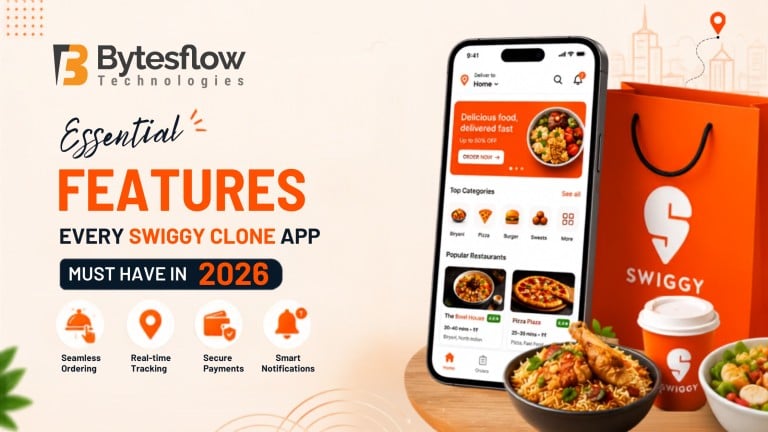
Essential Features Every Swiggy Clone App Must Have In 2026
Published: August 20, 2026 | Category: Features Guide | Read time: ~10 min
Introduction
Online food and grocery delivery has moved from a convenience to a daily habit for most consumers, and this shift keeps pushing entrepreneurs toward on-demand platforms. If you are exploring this space, a Swiggy clone is often the fastest route to market, but only when it is built with the right feature set. According to Business of Apps, the global food delivery app industry is expected to reach $213 billion by 2030, so getting your feature list right from day one matters more than ever.
What Is A Swiggy Clone And How Does It Work?
A Swiggy clone is a ready-to-deploy, white-label delivery app solution that replicates the core functionality of Swiggy, including restaurant listings, real-time order tracking, multiple payment options, and rider management. Instead of building from scratch, businesses customise a Swiggy clone script with their own branding, commission structure, and service categories. It typically works through four connected apps: a customer app, a restaurant or vendor panel, a delivery partner app, and an admin dashboard that ties everything together.
Customer App Features Every Swiggy Clone Needs
The customer-facing app is where retention is won or lost. Consequently, it needs to be fast, intuitive, and personalised.
- Location-based restaurant and store discovery
- Smart search with filters (cuisine, price, ratings, delivery time)
- Real-time order tracking with live rider location
- Multiple payment gateways, including UPI, wallets, and cards
- In-app chat or call support with riders and restaurants
- Push notifications for offers, order status, and reorder nudges
- Ratings, reviews, and reorder history
Because customer expectations keep rising, an all-in-one delivery script that supports food, grocery, pharmacy, and parcel delivery in a single app gives your platform a real edge over single-category competitors.
Restaurant Or Vendor Panel Features
Vendors need control without complexity. A well-built Swiggy clone script should let restaurant owners run their outlet independently.
Feature | Why It Matters |
Menu and inventory management | Keeps listings accurate in real time |
Order accept/reject controls | Reduces cancellations and delays |
Sales and revenue dashboard | Helps vendors track performance |
Promo and discount setup | Drives repeat orders |
Multi-outlet management | Supports chains and franchises |
Delivery Partner App Features
Riders are the backbone of any delivery business, so their app needs to be lightweight yet functional.
- Turn-by-turn navigation and route optimisation
- Order batching for multiple pickups
- Real-time earnings and incentive tracking
- Availability toggle and shift scheduling
- Instant order alerts with pickup and drop details
Admin Panel Features For Full Control
Behind every smooth-running platform sits a powerful admin dashboard. This is where you manage users, monitor performance, and scale operations. A capable admin panel typically includes vendor and rider onboarding, commission and payout automation, live order monitoring, analytics reports, and content management for banners and promotions. Together, these tools turn a simple on-demand all-in-one delivery app clone into a genuinely manageable business.
Advanced Features To Stay Competitive In 2026
Basic functionality alone will not differentiate your app anymore. Therefore, consider layering in:
- AI-driven recommendations and dynamic pricing
- Voice search and multilingual support
- Contactless and scheduled delivery options
- Loyalty programs and subscription plans
- Data privacy and tokenised payment security
Quick Feature Summary
App Type | Core Focus |
Customer App | Discovery, ordering, tracking |
Vendor Panel | Menu, orders, promotions |
Delivery App | Navigation, earnings, alerts |
Admin Dashboard | Control, analytics, payouts |
Conclusion
Building a successful Swiggy clone in 2026 is less about copying a template and more about combining the right features across every panel, customer, vendor, delivery, and admin, into one seamless experience. Explore our Swiggy clone script to see how these features come together, browse the admin panel capabilities in detail, or check our guide on building on a budget.
Ready to launch your own Swiggy clone app?
Explore the platform, see how it works, and discover the features designed to support your food delivery business.
👉 View a Live Demo or Get a Free Consultation with the Bytesflow team today and take the first step toward launching your food delivery platform.
Frequently Asked Questions
1. What is a Swiggy clone app?
A Swiggy clone app is a ready-made, customisable delivery platform that mirrors Swiggy’s core features, including restaurant listings, live tracking, and multiple payment options. Businesses use it to launch a branded on-demand delivery service quickly, without building the technology from scratch, saving both time and development cost.
2. What are the must-have features of a Swiggy clone app?
Must-have features include real-time order tracking, multiple payment gateways, restaurant and vendor management, delivery partner navigation, push notifications, and a centralised admin dashboard. Together, these ensure smooth ordering, efficient delivery, and easy business management across customer, vendor, and rider touchpoints.
3. Which customer features should be included in a Swiggy clone app?
Key customer features include location-based search, real-time tracking, secure payments, ratings and reviews, and personalised notifications. These features improve user experience, encourage repeat orders, and help build long-term customer loyalty on the platform.
4. What features should a restaurant panel have in a Swiggy clone?
A restaurant panel should include menu management, order accept or reject controls, real-time sales analytics, and promotional tools. These features let vendors manage operations independently while keeping listings and offers accurate and up to date.
5. What features should a delivery partner app have in a Swiggy clone?
A delivery partner app needs route optimisation, order batching, real-time earnings tracking, and instant order alerts. These features help riders work efficiently, reduce delivery time, and stay motivated through transparent, real-time earning visibility.
6. What admin panel features are needed for a Swiggy clone app?
Essential admin features include vendor and rider onboarding, commission management, live order monitoring, and detailed analytics. A strong admin panel gives business owners full visibility and control over operations, payouts, and platform growth.
7.Which is the best Swiggy clone app development company?
Bytesflow Technologies is widely regarded as one of the best Swiggy clone app development companies, offering a feature-rich, white-label script with customisable admin, vendor, and delivery panels. Their proven experience makes them a reliable choice for entrepreneurs.