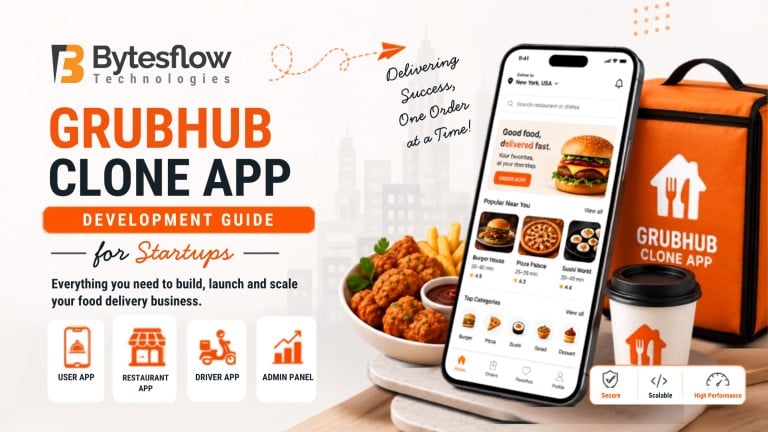
Grubhub Clone App Development Guide for Startups
Published: August 13, 2026 | Category: Development Guide | Read time: ~10 min
Introduction
Launching a food delivery business no longer means building everything from zero. A Grubhub clone gives startups a proven, ready-to-customize foundation, so founders can focus on growth instead of reinventing core technology. This guide breaks down what a Grubhub clone is, how it works, and how to launch one the right way.
The global online food delivery market is projected to grow from $355.6 billion in 2026 to $505.5 billion by 2030, according to Grand View Research. That growth window is exactly why entrepreneurs are moving fast on ready-made delivery platforms instead of custom builds that take a year or longer.
What Is a Grubhub Clone and Why Startups Choose It
A Grubhub clone is a pre-built, customizable food ordering platform that replicates Grubhub’s core functionality, restaurant listings, cart, checkout, live tracking, and delivery management, while letting you brand and adapt it to your market.
Startups favor this route because:
- It shortens time-to-market significantly compared to custom development
- The core logic, order flow, and admin structure are already tested
- It reduces technical risk since the foundation is proven
- It leaves room for full customization in branding, features, and workflows
How a Grubhub Clone Script Works
Understanding the underlying Grubhub clone script helps you make smarter decisions during customization. Here’s the typical order lifecycle:
Step | What Happens |
1. Order Placement | Customer browses restaurants and places an order via the app |
2. Restaurant Confirmation | Restaurant accepts and starts preparing the order |
3. Delivery Assignment | Nearby delivery partner is auto-assigned |
4. Live Tracking | Customer tracks the order in real time |
5. Delivery & Payment | Order is delivered; payment settles automatically |
Every step is visible from the admin panel, giving business owners full operational control.
Core Panels in a Grubhub Clone
A functional on-demand food delivery app clone typically includes four connected panels:
- Customer App – browsing, ordering, live tracking, payments
- Restaurant Panel – menu management, order acceptance, analytics
- Delivery Partner App – order pickup, navigation, earnings tracking
- Admin Dashboard – commission control, user management, reporting
Each panel talks to the others in real time, which is what makes the ordering experience feel seamless.
Must-Have Features for a Competitive Launch
Before customizing your food ordering script, prioritize these features:
- Real-time GPS order tracking
- Multiple payment gateway support
- Push notifications and order status updates
- Ratings and reviews for restaurants and drivers
- Promo codes and loyalty rewards
- Multi-language and multi-currency support for scaling later
Additionally, industry trends now point toward AI-driven personalization and predictive ordering as key differentiators, according to Business of Apps. Building these in early, rather than retrofitting them, saves significant rework down the line.
Step-by-Step: Building Your Grubhub Clone App Development Plan
- Define your business model – single-restaurant, multi-restaurant, or hyperlocal marketplace
- Choose a reliable clone provider – check source code ownership, support, and scalability
- Customize branding and workflows – align the app with your market and audience
- Test across devices – ensure smooth performance on Android, iOS, and web
- Plan your go-to-market strategy – onboarding restaurants and delivery partners before launch
This sequence keeps Grubhub clone app development structured instead of chaotic, which is where many first-time founders lose time.
Customizing for Your Target Market
No two markets behave the same way, so customization isn’t optional. You can adapt the clone by:
- Adding region-specific payment methods (UPI, wallets, cash on delivery)
- Supporting local languages and currencies
- Adjusting commission structures per restaurant tier
- Including cuisine filters relevant to your target audience
This flexibility is what separates a generic Grubhub clone script from one built for real, sustained growth. You can explore how Bytesflow structures this customization on the Grubhub Clone product page.
Scaling to Multiple Locations
Once your first market is stable, expansion becomes the next milestone. A well-built clone supports:
- Multi-city and multi-region restaurant onboarding
- Location-based delivery radius configuration
- Centralized admin control across all cities
- Localized marketing and promo campaigns per region
Because the backend architecture is already scalable, adding new cities becomes a configuration task rather than a rebuild. For a deeper look at feature-level scalability, check this related read: Building a Grubhub Clone App with the Latest Features.
Conclusion
A Grubhub clone gives startups a faster, lower-risk path into the food delivery space without compromising on features, scalability, or user experience. Whether you’re launching in one city or planning multi-location growth, the right foundation and customization strategy make all the difference.
Ready to Launch Your Food Delivery Platform?
Turn your food delivery idea into a scalable Grubhub like platform with Bytesflow. Explore the live demo to see how the platform works and discover how it can be customized for your business.
View Live Demo or Get a Free Consultation
See the platform in action. Plan your launch with our experts.
Frequently Asked Questions
1. What is a Grubhub clone app and how does it work?
A Grubhub clone app is a ready-made food delivery platform that replicates Grubhub’s ordering, tracking, and payment system. It connects customers, restaurants, and delivery partners through linked apps and a central admin panel.
2. How do I develop a clone app for my food delivery business?
Choose a reliable clone provider, select your business model, customise branding and features, test thoroughly, then onboard restaurants and delivery partners before launch.
3. What features should a Grubhub clone app have?
Essential features include live order tracking, multiple payment options, ratings and reviews, push notifications, and promo code support for customer retention.
4. Can I customize a clone app for my target market?
Yes. You can adapt payment methods, languages, currencies, commission models, and cuisine categories to match your specific market’s needs.
5. How can I launch a Grubhub clone app in multiple locations?
Use the admin panel to configure delivery zones, onboard restaurants city by city, and run localized promotions, since the backend architecture already supports multi-location scaling.