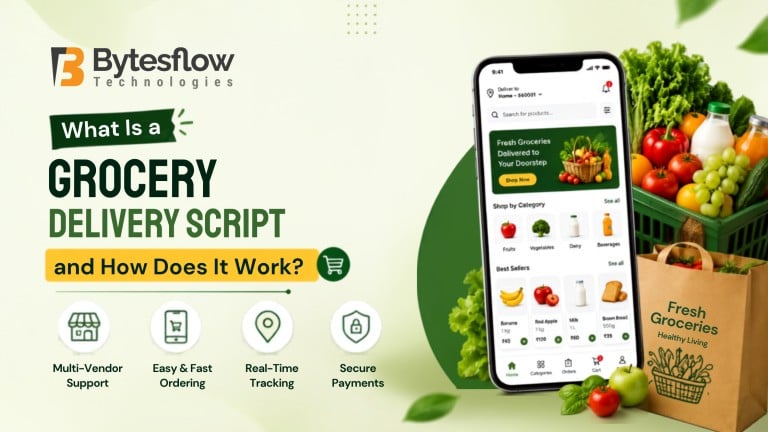
What Is a Grocery Delivery Script and How Does It Work?
Published: September 1, 2026 | Category: Startup Guide | Read time: ~10 min
Introduction
Starting an online grocery business from scratch usually means months of development and a heavy upfront budget. This ready-built solution solves that problem: it’s a platform you can launch in weeks, letting you focus on growing the business instead of coding one.
In short, this pre-built software powers an online grocery ordering and delivery operation, complete with apps for customers, delivery partners, store owners, and admins, all working from a single system.
What Is a Grocery Delivery Script?
It’s a ready-made software package that includes everything needed to run a grocery ordering and delivery business online. Instead of hiring a development team to build an app from the ground up, you get a working, customizable platform out of the box.
Most solutions, including Bytesflow’s grocery delivery script, typically include:
- A customer-facing app for browsing, ordering, and tracking groceries
- A delivery partner app for accepting and completing orders
- A store or vendor panel for managing inventory and stock
- An admin dashboard for overseeing the entire operation
This approach works well for entrepreneurs, supermarket chains, and local store owners who want to go digital quickly. It also suits businesses exploring an on-demand grocery delivery script built for instant, same-day fulfillment rather than scheduled slots.
How Does a Grocery Delivery Script Work?
At its core, the platform connects four users on one system: the customer, the store, the delivery partner, and the admin. Here’s how a typical order flows through it:
- Browsing and ordering – The customer opens the app, searches products by category, and adds items to the cart.
- Order confirmation – The store or admin panel receives the order and confirms availability.
- Picking and packing – Store staff pack the order based on the digital order slip.
- Delivery assignment – The system auto-assigns the nearest available delivery partner.
- Real-time tracking – The customer tracks the order live until it arrives.
- Payment and feedback – Payment settles automatically, and the customer can rate the experience.
Consequently, the entire journey, from checkout to doorstep, runs on one connected system instead of several disconnected tools. That’s exactly why many grocers are moving away from manual order-taking toward a fully automated setup.
What Are the Core Panels of the Platform?
Every reliable solution is built on a few essential modules. The table below breaks them down:
Module | Purpose |
Customer App | Product browsing, cart, checkout, order tracking |
Delivery Partner App | Order alerts, navigation, earnings dashboard |
Store/Vendor Panel | Inventory, pricing, and order management |
Admin Dashboard | Analytics, commission control, user management |
Payment Gateway | Secure online payments and refunds |
Notification Engine | Order updates via push, SMS, or email |
Together, these modules eliminate manual coordination and reduce order errors, which matters more than ever as online grocery shopping keeps climbing.
Why Are Businesses Investing in This Technology Now?
The timing matters. According to Mordor Intelligence, the online grocery delivery market was valued at USD 0.75 trillion in 2025 and is projected to grow at a CAGR of 21.68% through 2031. Meanwhile, McKinsey’s State of Grocery report found that nearly two-thirds of online grocery orders now go through delivery rather than pickup, with 70% of consumers naming delivery their preferred fulfillment method.
Given this shift, launching with a proven on-demand grocery delivery script, rather than building everything from zero, gives new entrants a faster, lower-risk way to compete with established players.
Ready-Made Platform vs Custom App Development
Factor | Ready-Made Solution | Custom Development |
Launch time | 2–4 weeks | 6–12 months |
Upfront cost | Lower, fixed pricing | Higher, variable pricing |
Customization | Moderate to high (white-label) | Fully flexible |
Best suited for | Startups, local grocers, aggregators | Large enterprises with unique workflows |
Can It Be Customized for Your Business?
Yes. A good platform isn’t a rigid, one-size-fits-all product. Reputable providers offer white-label options, meaning you can add your branding, adjust workflows, plug in new payment gateways, or extend features as the business scales. This flexibility is what separates a genuinely usable solution from a generic template. For businesses running related services, this pairs well with an all-in-one delivery script or a food ordering script for expanding into new verticals later.
Final Thoughts
A grocery delivery script provides a practical way to launch and manage an online grocery delivery business without developing the entire platform from scratch. By connecting customers, grocery stores, delivery partners, and administrators through a unified system, it can streamline ordering, payments, inventory management, delivery tracking, and day-to-day operations.
Whether you are planning a multi-vendor grocery marketplace, supermarket delivery platform, or on-demand grocery business, choosing the right script can help you move from idea to launch more efficiently while allowing room for customization and future growth.
Ready to launch your own grocery delivery platform?
See how the platform works in practice and connect with our experts to explore the right solution for your business needs.
👉 View Live Demo | Get a Free Consultation
Frequently Asked Questions
1. What is a grocery delivery script?
It’s a ready-made software solution that lets businesses launch an online grocery ordering and delivery platform without building an app from scratch. It typically includes a customer app, delivery partner app, store panel, and admin dashboard, all working together on one system.
2. How does a grocery delivery script work?
It connects customers, stores, delivery partners, and admins on one platform. Customers place orders through the app, stores confirm and pack them, the system assigns a nearby delivery partner, and the customer tracks the order in real time until it’s delivered and paid for.
3. What are the main components of a grocery delivery script?
The core components include a customer app, a delivery partner app, a store or vendor panel, an admin dashboard, a payment gateway, and a notification engine. Together, these modules manage ordering, fulfillment, delivery tracking, and payments in one connected ecosystem.
4. Can a grocery delivery script be customized?
Yes, most reputable platforms, especially white-label ones, allow custom branding, added features, new payment integrations, and workflow changes. This lets businesses adapt the software to their specific market instead of settling for a fixed, generic setup.
5. Why should I choose Bytesflow’s grocery delivery script?
Bytesflow offers a 100% white-label, fully customizable platform with dedicated support, scalable architecture, and the flexibility to expand into other delivery verticals later. It’s built for businesses that want a fast, reliable launch without compromising on control.
6. Is this type of platform suitable for a small local store?
Yes. Small and mid-sized grocers can use it to compete with larger platforms by offering online ordering and delivery without hiring an in-house tech team, making it a practical, low-risk way to go digital.