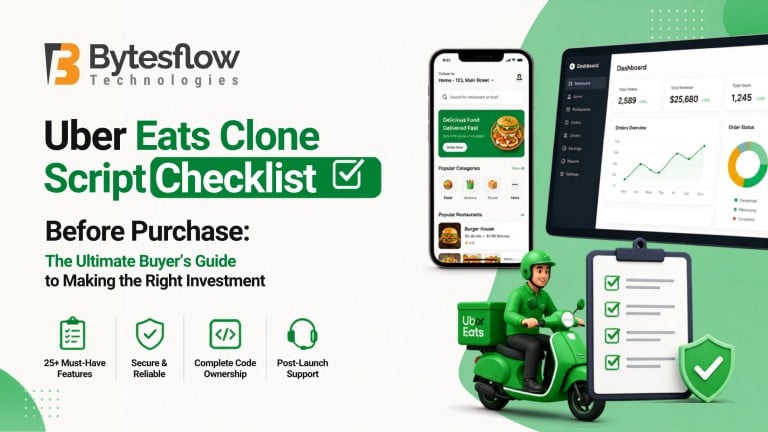
Uber Eats Clone Script Checklist Before Purchase: The Ultimate Buyer’s Guide to Making the Right Investment
Published: July 01, 2026 | Category: Buyer’s Guide | Read time: ~10 min
Buying a ready-made Uber Eats clone script feels like the fast, low-risk way to launch a food delivery business. In many cases, it is. But “fast” and “cheap” are exactly where buyers get burned locked into unlicensed code, undocumented APIs, or a vendor who disappears after the invoice clears. Having evaluated dozens of clone script vendors and helped founders launch delivery platforms across different markets, this guide distils that experience into one practical checklist you can run through before you sign anything.
Why a Checklist Matters Before You Buy
An Uber Eats clone script is not a single, standardised product. Two vendors can advertise the “same” feature list customer app, restaurant panel, delivery partner app, admin dashboard and still deliver wildly different quality, ownership terms, and long-term cost. Without a structured way to compare offers, buyers tend to default to whichever vendor has the flashiest demo or the lowest sticker price, which is precisely how projects end up stuck mid-launch with unusable code.
What an Uber Eats Clone Script Actually Includes
A genuine, production-ready clone script is a multi-app ecosystem, not a single application. Before comparing vendors, make sure you’re evaluating all four components:
- Customer app: browsing, ordering, live tracking, payments, ratings, and promotions.
- Restaurant/vendor panel: menu management, order acceptance, inventory, and payout tracking.
- Delivery partner app: order assignment, navigation, earnings, and availability toggles.
- Admin dashboard: commission management, analytics, dispute resolution, and platform-wide controls.
If a vendor’s “complete package” is missing one of these, it isn’t a complete budget for the gap or walk away.
The Complete Pre-Purchase Checklist
1. Core Feature Completeness
- Real-time order tracking with live map updates, not static status text
- Multiple payment gateway support (Stripe, Razorpay, PayPal, or region-specific options)
- In-app chat or call masking between customer and delivery partner
- Scheduled ordering, promo codes, and loyalty/rewards support
- Multi-language and multi-currency readiness if you plan to scale beyond one region
2. Technology Stack & Scalability
Ask what the app is actually built on, not just “native” or “cross-platform” as marketing language. Confirm the backend framework, database, and whether the architecture supports horizontal scaling (load balancers, microservices, or, at minimum, a cleanly separable monolith). A script that works in a demo with 10 test orders can behave very differently at 10,000 concurrent users.
3. Source Code Ownership
This is the single most important and most commonly glossed-over checklist item. Clarify in writing whether you are purchasing:
- Full source code with unrestricted ownership (you can modify, resell, or rehost freely), or
- A licensed-use package (you can run it, but the vendor retains IP rights and may restrict resale, white-labeling, or future migration).
Get this distinction in the contract, not just a sales call. Verbal assurances are not enforceable.
4. Customisation & White-Labeling
Ask for a real customisation quote on 2–3 specific changes relevant to your business (e.g., adding a subscription model, changing the commission logic, or rebranding the UI). Vendors who hedge or quote vague “contact us for custom pricing” answers on simple asks are a signal of limited real flexibility in the codebase.
5. Security & Compliance
- PCI-DSS compliant payment handling (never store raw card data on your own servers)
- Encrypted data storage and secure API authentication (OAuth2/JWT)
- GDPR or regional data-privacy compliance if you’ll serve users in the EU, UK, or other regulated markets
- A documented process for security patches ask when the codebase was last audited
6. Third-Party Integrations
- Maps and geolocation (Google Maps API or equivalent, with cost implications disclosed)
- SMS/OTP and push notification services
- Payment gateways available in your target country
- Analytics and CRM integrations if you plan to run marketing campaigns from day one
7. Pricing Transparency & Hidden Costs
The advertised price rarely reflects the total cost of ownership. Before purchase, get a written breakdown of:
- Base license fee: What exactly is included at this price tier?
- Customisation charges: hourly or fixed-scope rates for changes beyond the base package.
- Third-party API costs: maps, SMS, and payment gateway fees are usually billed separately by those providers.
- Hosting and deployment: does the vendor deploy for you, or is that an added service?
- Annual maintenance/renewal fees: many vendors charge 15–20% of license value yearly for updates and support.
8. Support, Updates & Maintenance
Ask directly: what happens six months after launch if the app crashes at 11 p.m. on a Friday? Confirm the support SLA (response time, channels, hours of coverage) and whether OS-level updates (new iOS/Android versions) are covered under your package or billed as extra work.
9. Vendor Reputation & Verifiable Portfolio
- Ask for 2–3 live apps built on this exact script, not just design mockups
- Check app store reviews of those live apps for stability complaints
- Look for independent reviews on platforms like Clutch, GoodFirms, or G2 rather than testimonials on the vendor’s own site alone
- Request a reference call with an existing client if the deal size justifies it
10. Demo & Trial Availability
A vendor confident in their product will give you hands-on access to a working demo across all four apps (customer, restaurant, delivery, admin) not just screenshots. Use the demo to test edge cases: what happens if a delivery partner rejects an order, or a restaurant runs out of stock mid-order? These edge cases reveal more about code quality than the happy-path walkthrough ever will.
Red Flags to Watch Out For
- Pressure to pay in full upfront: with no milestone-based payment structure.
- Reluctance to put ownership terms in writing: verbal-only promises about source code rights.
- No documentation: no API docs, no deployment guide, no code comments a sign of rushed or resold code.
- Unrealistically low pricing: far below market rate usually means unlicensed or pirated base code, which carries legal risk for you as the buyer.
- No post-launch support plan: or support offered only through informal channels like a single WhatsApp number.
Questions to Ask Every Vendor Before You Sign
- Do we receive full, unrestricted source code, and is that stated in the contract?
- Can we see 2–3 live, currently operating apps built from this script?
- What is included in the base price versus billed as a customisation?
- What is your support SLA, and what happens after the support period ends?
- How is the codebase tested for security, and when was the last audit?
- Can you provide a written, itemised quote broken down by feature and service?
What Should You Actually Pay?
Prices vary widely by vendor tier and customisation depth, but as a general market reference: basic, lightly customizable templates often start in the low thousands (USD), while fully customised, source-code-included solutions with dedicated support typically run into the mid-to-high five figures. Treat any quote as a starting point for negotiation once you’ve compared at least three vendors against this checklist not as a fixed number to accept on the first call.
Looking for a Trusted Uber Eats Clone Script?
BytesFlow delivers a feature-rich, white-label solution with complete source code ownership, scalable architecture, and ongoing technical support everything you need to launch your food delivery platform with confidence.
View Live Demo | Get a Free Consultation
Frequently Asked Questions
1. How much does an Uber Eats clone script cost?
Pricing typically ranges from a few hundred dollars for a basic template to several thousand for a fully customised, source-code-included solution, depending on features, customisation depth, and support terms.
2. Do I get full ownership of the source code?
This depends entirely on the license you purchase. Always confirm in writing whether you receive full source code ownership or a limited-use license before paying.
3. Is buying a clone script better than building an app from scratch?
For most startups, a well-vetted clone script is faster and more cost-effective than custom development, provided the vendor offers clean code, real customization, and ongoing support.